
How Much Does Managed IT Cost in Orillia, Ontario?
Most Orillia businesses pay $80 to $150 CAD per user per month for full-service managed IT with site visits, or $75 to $120 for remote-only support. Microsoft 365 licences are billed separately.
Orillia is about 30 minutes up Highway 11 from our Barrie office, and its businesses don’t share one setup. A downtown accounting office on Mississaga Street, a manufacturer running shop-floor PCs, a clinic holding patient records and a lakeside business that doubles its staff in July all pay for managed IT differently. This guide works through each. For how the service itself runs here, see our managed IT services in Orillia.

How Is Managed IT Priced for Orillia Businesses?
ACT360 prices managed IT in Orillia per user per month under one agreement. The fee covers help desk support, monitoring, patching, security tools, backup management and planning. Microsoft licences, hardware and projects are billed separately.
The City of Orillia’s own figures, drawn from the 2021 Census, put the population at 33,411 with a median age of 46.8. That second number says something about local IT. A lot of Orillia businesses are owner-run and have been for years, and their technology grew one fix at a time: a server nobody wants to touch, an admin password only the owner knows, a backup that has never been test-restored.
Per-user pricing keeps the monthly figure tied to the number of people you support. The assessment then tells us how much catch-up work sits underneath it, which is why we quote after looking rather than off a headcount. For everything ACT360 includes wherever we work, see our Managed IT Services overview.
Managed IT Cost by Team Size in Orillia
Here are ACT360’s published ranges worked out for team sizes common in Orillia. Full service includes site visits. Remote-only is the same support delivered without them.
All figures are in Canadian dollars and exclude Microsoft licensing. For scale, a 30-seat business working with ACT360 typically spends about $41,000 a year, which sits inside the 30-user row above.
Full Service or Remote-Only: What 30 Minutes From Barrie Changes
Remote-only support suits Orillia offices that run on laptops and Microsoft 365. Full service fits businesses with a server, production equipment, network gear or clinic systems that someone occasionally has to touch in person.
Most problems get fixed remotely, so the drive up Highway 11 matters less than people expect. The real choice is whether the occasional hands-on visit is covered by the monthly fee or handled as a one-off. Our comparison of remote monitoring vs on-site IT support shows what each one covers. Here’s how it tends to play out across Orillia’s main types of business.
Clinics carry an extra layer. Ontario’s Personal Health Information Protection Act (PHIPA) shapes what your IT has to be able to prove, not only what it has to do, and our guide to PHIPA compliance for Ontario clinics covers the IT side. Treat the table as a starting point. A small office with an ageing server in the back room belongs in the full-service column until that server is retired.
What Pushes an Orillia Quote Up or Down?
Team size sets the base. Older systems, production equipment, extra locations, seasonal staff and undocumented setups decide where in the range an Orillia business lands.
- An ageing server or old line-of-business software. It needs more patching and more care than an office already on Microsoft 365.
- Production and machine-connected equipment. Shop-floor systems often can’t be patched on a normal schedule, so they need tighter monitoring. Our article on why ransomware targets Canadian manufacturers explains why that matters.
- More than one location. An Orillia office plus a shop or second site elsewhere in Simcoe County means more equipment to look after.
- Seasonal staff. Accounts and licences for summer hires have to be added, secured and removed each year.
- An undocumented setup. When one person holds every password, the first months go into documenting and securing what’s there.
Planning to Sell or Hand Over the Business? Budget for IT Documentation
If you expect to sell or pass on your business in the next few years, get the IT documented now. A buyer or successor needs to know what’s running, who holds admin access and whether the backups actually restore.
With a median age of 46.8, succession is on plenty of Orillia owners’ minds, and IT is easy to leave off that list. An undocumented setup is hard for a buyer to value and harder for a new owner to run. Under ACT360 Managed IT, documentation is part of onboarding, and you own everything we build, so it stays with the business when ownership changes. For a multi-year plan that lines technology spending up with an exit date, see our vCIO services in Orillia.
Is Managed IT Cheaper Than Hiring or Break-Fix in Orillia?
Most Orillia owners compare managed IT with one of 2 alternatives. Here’s how the numbers line up for a typical 15-person business.
The hiring figure comes from Job Bank, which lists a median wage of $47.00 an hour for IT specialists in the Kitchener-Waterloo-Barrie region, the economic region that includes Simcoe County and Orillia (2023 to 2024 data). At 2,080 hours that’s about $98,000 a year before benefits, training or sick-day cover. Break-fix looks cheapest until incidents start to pile up, and on a shop floor or in a clinic, downtime costs more than the repair bill.
What Should the Monthly Fee Cover?
The monthly fee should cover the routine work that keeps systems running and secure, plus someone planning ahead with you. If a quote sits well below the ranges above, check which of these it leaves out.
- Help desk support from a named contact who knows your setup.
- Monitoring and patching for computers, servers and Microsoft 365, scheduled around your hours.
- Endpoint protection, email filtering and multi-factor authentication.
- Backups that get test-restored, not only a report saying the job ran.
- Vendor and licence management.
- Quarterly reviews that connect technology spending to where the business is going.
Our breakdown of what managed IT actually includes goes line by line. For a security yardstick that doesn’t come from a vendor, the Canadian Centre for Cyber Security publishes baseline controls for small and medium organizations.
Which Costs Sit Outside the Monthly Fee?
Microsoft 365 licences, hardware, larger projects and cyber insurance usually sit outside the managed IT fee. Budget for them separately so the monthly number stays easy to compare.
- Microsoft 365 licences, billed per user.
- Laptops, firewalls and Wi-Fi equipment as they reach end of life.
- Projects such as retiring an on-site server through a cloud migration in Orillia, or building a disaster recovery plan for an Orillia business.
- Cyber insurance, which increasingly asks about controls your IT provider manages.
Seasonal businesses should plan licences before the summer hiring starts. Under Microsoft’s New Commerce Experience policy, most subscriptions can only be cancelled for a prorated refund within 7 days of purchase, so a licence bought for a June hire may still be on the bill in January.
How Do You Compare Two Managed IT Quotes in Orillia?
Compare scope first and price second. Two quotes at the same per-user rate can cover very different work, so hold both against the same short list.
- What’s excluded? Get it in writing.
- Are site visits in Orillia included? If not, what does one cost?
- Who picks up when you call? A named person or a queue.
- How are backups proven? A scheduled test restore, or a green checkmark.
- Is HST in the figure? Easy to miss side by side.
- What does leaving cost? Notice periods, early-termination fees and handover terms.
Some providers discount longer terms. ACT360’s published rate doesn’t change with term length, and every Managed IT agreement includes a 90-day exit clause. If you’re weighing a move, our guide to what it costs to switch IT providers walks through the full calculation, and our page on managed IT with no long-term contract explains how the exit clause works.
How We Arrive at Your Price
A.C.T.I.O.N.
An Orillia quote from ACT360 comes out of the first 3 steps of ACTION. The last 3 are how the work runs once you’re a client.
Assess
We review your network, backups, security and the workarounds your team has stopped noticing.
Comprehend
Why things are set up the way they are, and where the business is going over the next 2 to 5 years, including any sale or succession.
Tailor
A price built from what we found, with the reasoning, and what we’re not recommending yet.
Implement
Phased onboarding over 60 to 90 days, with live support the whole way through.
Optimize
Quarterly reviews of what your technology spending is actually delivering.
Nurture
We get to know your team, so nobody re-explains the setup every time they call.
How ACT360 Keeps an Orillia IT Budget Predictable
Financial
Published per-user pricing, one monthly fee and a 90-day exit clause on Managed IT.
Switching
Phased onboarding instead of a weekend cutover, so downtime doesn’t become a hidden cost.
Political
A written assessment summary you can share with a partner, owner or successor before any proposal.
Operational
A named contact, so you aren’t paying for someone new to learn your setup on every call.
Ownership
You own everything we build, with handoff and training included.
Case Studies
Work ACT360 Has Delivered for Ontario Businesses

How Sandbox Centre Fixed Its Wi-Fi for Everyday Members and 165-Person Events
Client & Project Snapshot Client Sandbox Centre, a Regional Innovation Centre (RIC)…
Read more about How Sandbox Centre Fixed Its Wi-Fi for Everyday Members and 165-Person Events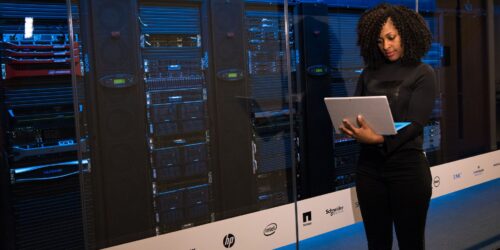
How a 35-Person Painting Contractor Cut a $60,000 Server Quote to $25,000
Client & Project Snapshot Industry Commercial painting contractor, with a related c…
Read more about How a 35-Person Painting Contractor Cut a $60,000 Server Quote to $25,000
Custom Software Built on the Autotask API: A Case Study
Client & Project Snapshot Client ACT360 Web & IT (internal project) Engagemen…
Read more about Custom Software Built on the Autotask API: A Case StudyWho Answers for Your Orillia Account
No rotating help desk. These are the people accountable for the work.

Adam Bowles
Partner & CEO15+ years helping Ontario businesses close the gap between the technology they bought and the technology they actually need. Adam won’t recommend anything until he understands how your business runs.

Jeffrey Bowles
Partner & Director of IT ServicesOne of ACT360’s founding team members, trained in computer science at Georgian College. Jeffrey runs the technical side of every engagement and leads ACT360’s vCIO and DEEP MSP programs.
What Orillia Owners Ask Before Budgeting for Managed IT
$960 to $1,800 a month for full-service managed IT at $80 to $150 per user, before Microsoft 365 licences. Remote-only support at $75 to $120 per user puts the same office at $900 to $1,440.
Distance rarely decides how quickly a problem gets fixed, because most support happens remotely. When something does need hands on it, full-service Managed IT includes site visits, and we confirm how visits work for your location during the assessment.
It can move you higher within the range, because a clinic usually needs more documented security than a general office. Access controls, tested backups and records of who can see what are scoped during the assessment and built into the per-user fee. You see that scope before you sign, so it doesn’t arrive later as an add-on.
Rarely, for an Orillia business under 50 people. Job Bank puts the median wage for an IT specialist in the Kitchener-Waterloo-Barrie region, which includes Orillia, at $47.00 an hour, roughly $98,000 a year before benefits. That’s more than full-service managed IT for 50 users at the top of our range, and it buys one person who still needs vacations, sick days and training.
Usually because it covers less, leaving out site visits, backup testing, security tools or planning and billing for them later. Ask for a written list of exclusions before you compare the rate.
You can leave, because every ACT360 Managed IT agreement includes a 90-day exit clause. Nobody is locked in waiting for a renewal date.
Book the free 30-minute IT Readiness Assessment. We look at your systems, backups and security, then price what we find rather than your headcount, with no obligation. If you go ahead, onboarding runs in phases over 60 to 90 days, with support available from day one.
Get a managed IT number for your Orillia business based on what’s actually there
Get an IT Readiness AssessmentMore From ACT360 in Orillia



A Monthly IT Number an Orillia Business Can Plan Around
Published pricing, a named contact and a 90-day exit clause on Managed IT.
Get an IT Readiness AssessmentGet in Touch

Phone Number

Building Address
By appointment only, 24 Maple Ave, Barrie, Ontario

Business Hours
Monday to Friday, 9am to 6pm
Saturday and Sunday, closed
Request your free assessment
Tell us a little about your business and what prompted the change.
No obligation. We reply within one business day.
Trusted by





Book Your Free 30-Minute IT Readiness Assessment
Leave your details and a local ACT360 teammate will call you back within one business day to book it. No obligation.