ACT360's AI automation services help Aurora businesses stop doing repetitive work by hand. Reporting, intake, follow-ups, and scheduling run inside Microsoft 365 and your existing systems, with a person approving anything that matters.
Magna's global head office might be down the street, but most Aurora businesses are automating on a very different scale, and that's what ACT360 plans for. The Town of Aurora counts nearly 2,400 businesses, and 63% of them have one to four employees. ACT360's full AI automation services for Ontario businesses are sized for them, built on the ACTION methodology. Your free IT Readiness Assessment starts with a 30-minute AI Readiness Conversation. AI automation is quoted as its own project. ACT360's 90-day exit clause applies to Managed IT agreements in Aurora, not to automation work.
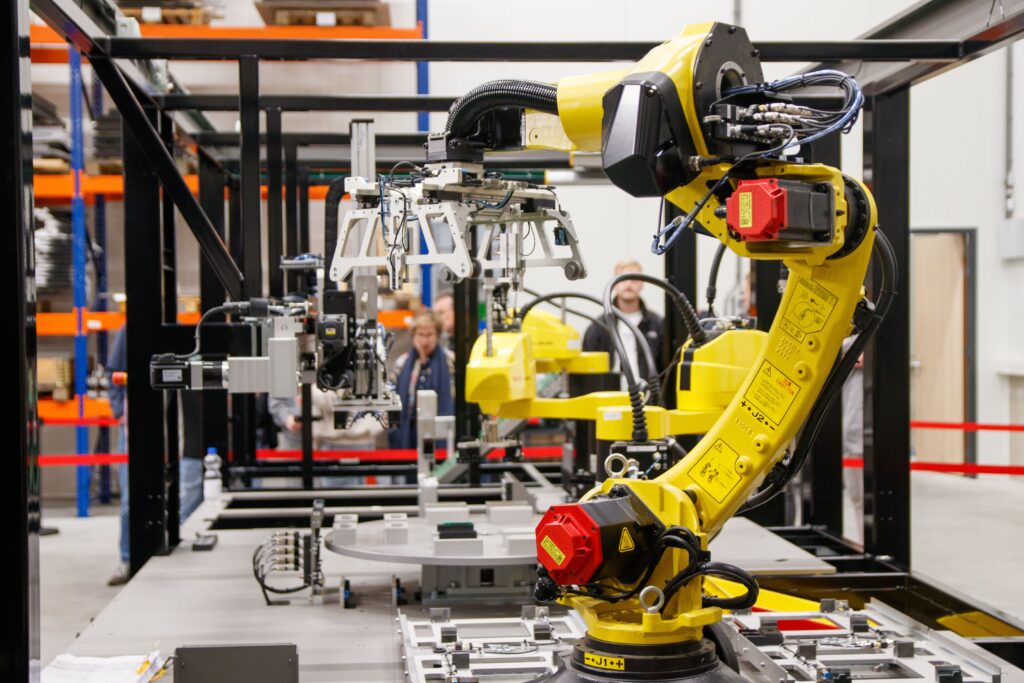
Aurora’s Most Recognizable Employer Already Lives and Breathes Automation
AI automation connects AI tools directly to the systems a business already runs, its email, its CRM, its reporting, so repetitive work gets handled without someone doing it by hand every time. Aurora is an interesting place to make that case, because one of the world's largest automotive suppliers already calls it home.
Magna International's corporate head office is on Magna Drive in Aurora. That's local context, not proof of anything ACT360 does. What it does mean is that the idea of automation is familiar here in a way it isn't in most towns, even among the nearly 2,400 other businesses in Aurora, most of them far smaller than Magna.
Statistics Canada's Canadian Survey on Business Conditions found a real gap along exactly that line. In the second quarter of 2026, 27.8% of businesses with 100 or more employees reported using AI in production, compared with 19.9% of businesses with one to four employees. About 63% of Aurora's businesses fall into that smaller category, according to the Town of Aurora's community profile. A large employer down the road has had the resources to work out how automation fits its operations. Most of Aurora's business base hasn't, which is a different problem than not being interested.
What Has ACT360 Actually Automated?
ACT360's most measurable automation result cut a multi-location Ontario healthcare provider's monthly reporting cost from about $600 to under $50. Excel reports were replaced with Power BI dashboards that staff open with their Microsoft 365 sign-in, each clinic seeing only its own numbers.
Two more projects show the same approach on different problems. ACT360 built its own client reply portal on the Autotask API so correspondence stopped being split across personal inboxes, as the Autotask reply portal case study explains. And for a refrigeration and construction service company, a custom QR code system lets technicians scan a unit to open its record instead of searching for it. Neither of those recorded a baseline, so neither claims a percentage.
Microsoft 365OutlookTeamsSharePointCopilotPower BIQuickBooksSageDynamicsAutotaskCustom web portals
- Reports assemble themselves
- Requests reach the right person
- One place to find the answer
What’s Included in ACT360 AI Automation Services in Aurora


5 Processes Aurora Businesses Should Consider Automating First
Aurora businesses usually get the fastest return from automating work that repeats every week and already lives in a system. Five good starting points are month-end reporting, client intake, invoice follow-ups, appointment scheduling, and new-employee setup.
- Month-end and weekly reporting. Figures pulled from QuickBooks, Sage, or Dynamics into one summary instead of three spreadsheets.
- Client intake. A web or email enquiry creates the client record, the task, and the reply draft for a person to approve.
- Invoice follow-ups. Overdue reminders drafted from your accounting system on a schedule, reviewed before they go out.
- Appointment and job scheduling. Bookings confirmed and reminders sent from one calendar in Microsoft 365.
- New-employee setup. One HR entry creates the Microsoft 365 account, the equipment request, and the first-week checklist.
These are typical starting points, not a guarantee every one fits your business. ACT360's article on what AI automation looks like for a small business has more examples.
Off-the-Shelf AI vs. ACT360 AI Automation in Aurora
Aurora already has a business nearby that has spent decades automating at scale, so it's no surprise staff at smaller Aurora companies are trying off-the-shelf AI tools on their own. The difference between that and a governed build shows up in six places. ACT360's comparison of AI automation vs off-the-shelf AI tools goes deeper.
Is Your Aurora Business a Good Fit for AI Automation?
Your Aurora business is a good fit for AI automation if someone repeats the same task every week, the data is already in a system, and a person owns the process. It isn't ready yet if the process changes every time or the data lives in personal spreadsheets.
- A task repeated the same way every week
- Data already in Microsoft 365, accounting, or a CRM
- A person who owns the process
- A clear picture of a correct result
- The process changes from job to job
- Data lives in personal spreadsheets
- Nobody owns the process
- You want AI to replace judgment calls
Size matters less than it seems. A 6-person accounting office with a steady month-end routine is often a better fit than a 60-person company whose processes are still being figured out. Where sensitive data is involved, ACT360 cleans up Microsoft 365 permissions first, because Microsoft states that Copilot only surfaces data a user already has permission to view. Tidy permissions make the automation safe to switch on.
Our Approach
A.C.T.I.O.N.
Magna automates at a scale most Aurora businesses never will. ACTION is how ACT360 sizes automation to yours, starting with what’s actually ready before anything gets built.
Assess
A real look at what’s actually running in your Aurora business today, not a generic AI vendor’s onboarding questionnaire.
Comprehend
We dig into why a process works the way it does today, and what outcome actually matters before we recommend automating it.
Tailor
The automation is built around your specific Aurora operation and systems, not a generic AI tool dropped in.
Implement
Rolled out process by process, validated before the next one, so your team can trust what’s automated.
Optimize
Quarterly reviews check what’s working, what needs adjusting, and what’s next, not a set-and-forget deployment.
Nurture
We train your team to use AI safely and effectively, so capability grows inside your business instead of dependency on ACT360.
How Long Does AI Automation Take in Aurora, and What Does It Cost?
One bounded automation typically takes about 10 weeks from the first assessment to launch, with results measured against a baseline by month 3 or 4. The quickest fixed-price start is the $5,000 half-day AI Automation Blitz, free if documented savings miss 20 hours a month.
Beyond the Blitz, ACT360 prices each project after the free conversation. These are the things that move the number.
- Processes in scope. One weekly report is a small job. Intake, scheduling, and billing together is a larger one.
- Systems to connect. Work that stays inside Microsoft 365 costs less than linking it to accounting software, a CRM, and a custom portal.
- Data clean-up. Duplicates or scattered spreadsheets need tidying before anything is built on them.
- Governance needs. Client, financial, or health records call for stricter access rules and more review steps.
- Support after launch. Ongoing monitoring and quarterly reviews from ACT360, or a handover to your own team.
The Team Values Behind ACT360’s AI Automation Work in Aurora
AI automation projects in Aurora are built by the same team that lives by these values, especially Always Looking Forward, since this work moves quickly.

Be the Client
We listen to our clients and other team members to understand the full scope of the requirements and goals. We put ourselves in your shoes as we design and build the processes, tools, and infrastructure that will make your team more productive.

Give the 360° Solution
Our goal is to give our clients the full solution, so your technology becomes a profit enhancer rather than a profit hindrance. That’s why we offer more than a service desk or IT support. We bring a vCIO, IT strategy, and process improvement to the table.

Be a Problem Solver
We look beyond the problem to find its actual source so we can resolve it. When we work with your team and any vendors, we make sure every issue at hand is fully addressed.

Always Looking Forward
We strive to deal with our mistakes as a team, learn from them, fix them, and then not look back and repeat them. We also aim to provide proactive and forward-facing solutions by identifying issues as soon as they’re spotted.

Working to Live, Not Living to Work
We want our employees to feel supported to take care of family and personal needs. So we believe in creating a flexible, asynchronous, and remote-friendly workplace, as long as the work is getting done well and on time, then we are satisfied.

Treating Employees Like Experts
We believe our employees are experts who can be trusted to own their work and feel empowered to improve results. So we trust our experts to create solutions in efficient ways that work for them and to seek continual improvement, for the company and for others.
Automation and Integration Results


Meet the Team Behind ACT360’s AI Automation Work in Aurora
You won’t be handed off to a rotating helpdesk.

Adam Bowles
Partner & CEOAdam won’t recommend automating anything in an Aurora business until he understands why the process works the way it does today, the same discovery-first approach behind every ACT360 engagement, from a two-person shop to a supplier of a company like Magna.

Jeffrey Bowles
Partner & Director of IT ServicesJeffrey leads the technical side of ACT360’s automation builds, the integrations, the guardrails, the parts that need to actually hold up, on projects across Aurora and everywhere else ACT360 works.
AI Automation Questions Aurora Businesses Ask Us
You’re likely ready if at least one task repeats the same way every week and its data already sits in Microsoft 365, your accounting software, or a CRM. If your processes change from job to job, the free AI Readiness Conversation will tell you what to fix first.
Yes, and the assessment is built around your size, not theirs. A large manufacturer and a 12-person professional services firm need completely different automation, but both face the same question, which processes are actually ready and which need fixing first.
About 10 weeks for one bounded process, from assessment through testing to launch, with results measured by month 3 or 4. The half-day AI Automation Blitz is the exception, building working automations on-site in one session.
By setting access before anything is built. Each automation sees only the data its job needs, Microsoft 365 permissions are cleaned up before Copilot is switched on, and a named person approves anything client-facing or financial before it goes out.
The fixed-price starting point is the $5,000 half-day AI Automation Blitz, which you don’t pay for if documented savings fall short of 20 hours a month. Larger projects are quoted after the free conversation, based on processes, systems, data clean-up, governance, and support.
No, the goal is freeing your team from repetitive work so they can spend time on the judgment calls, client relationships, and decisions that actually require a person. ACT360 trains your staff to operate what’s automated instead of keeping ACT360 in the loop indefinitely.
Yes, ACT360 can build the automation alongside the provider you already have, coordinating access and changes with them. If you’d rather keep everything with one team, ACT360 also offers Managed IT and IT Support in Aurora, but switching isn’t a requirement.
Generally, yes, because one employee using a consumer AI tool has no oversight and no connection to your CRM or email. ACT360 wires the automation into the systems your Aurora business actually runs and puts guardrails around the whole thing.
Find out what you can automate in your Aurora business
Get an IT Readiness AssessmentExplore More From ACT360 in Aurora




Find Out What You Can Automate in Your Aurora Business
Your free IT Readiness Assessment starts with a 30-minute AI Readiness Conversation that gives you a straight answer on what’s worth automating, at no cost to find out.
Get an IT Readiness AssessmentGet in Touch

Phone Number

Building Address
By Appointment only: 24 Maple Ave, Barrie, Ontario

Business Hours
Monday-Friday: 9am to 6pm
Saturday-Sunday: Closed
Request your free assessment
Tell us a little about your business and what prompted the change.
No obligation. We reply within one business day.