
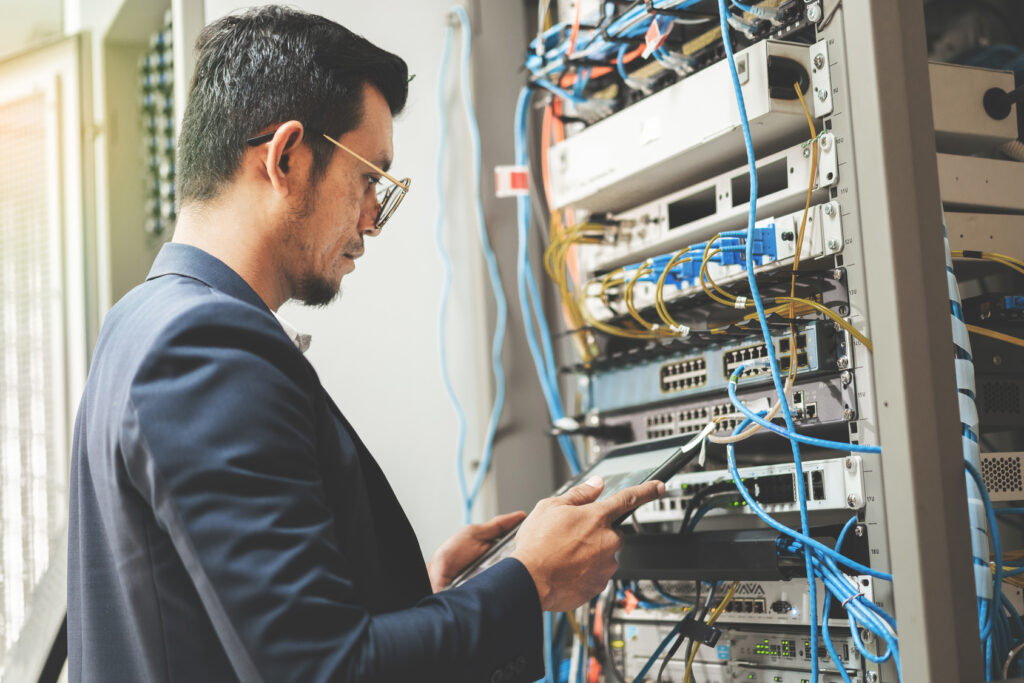
AI network monitoring learns what normal looks like on your network and flags what doesn't fit, instead of waiting for a fixed limit to be crossed. Here's how it works, what it catches, and where it still needs a person.
TL;DR Traditional monitoring alerts when a number crosses a line someone set. AI network monitoring learns each network’s normal pattern over days or weeks and alerts when behaviour drifts from it, which catches slow problems earlier and cuts noisy alerts. It needs history to learn from, it doesn’t fix a badly designed network, and someone still has to act on what it finds.
Most network problems don’t arrive as a clean outage. Wi-Fi sign-ins start failing in one meeting room, a link to the second office gets flaky in the afternoons, a cable degrades for weeks before it quits. Fixed alert thresholds miss a lot of that. Machine learning is better at it, which is why it’s one of the quieter, more useful uses of AI automation in IT operations. If you’re still sorting out what counts as “AI” in a product, our post on AI automation vs AI tools is a good primer.
I’m Adan Silva, Partner and Software Development Lead at ACT360. I work on the engineering side of our AI projects, so this piece focuses on what these systems actually do under the hood and where the marketing gets ahead of them.
What Is AI Network Monitoring?
AI network monitoring uses machine learning to learn the normal behaviour of a network, such as traffic, sign-ins, latency and errors, and to flag activity that falls outside that pattern. Many tools also group related alerts and suggest a likely root cause.
You’ll also see the broader term AIOps, which applies the same idea across IT operations: event correlation, anomaly detection and root-cause analysis. For a business with 10 to 200 staff, AI network monitoring usually isn’t a separate product. It’s a set of features inside the switches, Wi-Fi, firewall or monitoring platform you already run, or inside the tools your IT provider uses.
How Is It Different From Traditional Network Monitoring?
Traditional monitoring uses fixed rules, like “alert if the link is down” or “alert if bandwidth stays above 90%.” AI monitoring sets its own baseline from your history and alerts on unusual change, even when no fixed limit is crossed.
| Fixed-threshold monitoring | AI-based monitoring | |
|---|---|---|
| How alerts are set | A person picks a limit for each metric | The system learns normal ranges from history |
| Daily and weekly patterns | Ignored; Monday morning looks the same as Sunday night | Learned, so a busy Monday isn’t flagged as a problem |
| Slow degradation | Often missed until a limit is finally crossed | Flagged when behaviour drifts from the baseline |
| Alert volume | Can be noisy if limits are tight, blind if they’re loose | Often fewer, more relevant alerts once trained |
| Explaining the cause | Shows which metric tripped | Many tools group related events and suggest a likely cause |
| Day one | Works immediately | Needs days to weeks of data first |
That last row matters more than vendors tend to admit. Fixed thresholds are still the right tool for hard failures, like a firewall going offline. AI is better at the grey areas. Good setups use both.
How Does AI Network Monitoring Actually Work?
It collects data from network devices over time, learns hourly, daily and weekly patterns, calculates what normal looks like for each measurement, and raises an alert when new data falls far enough outside that range. Better tools then correlate related alerts and point to a likely cause.
The vendor documentation is more concrete than the marketing, so here’s what a few of them describe:
- Learning normal. Microsoft’s Azure Monitor dynamic thresholds use machine learning to learn historical behaviour and spot hourly, daily or weekly patterns. They won’t alert until they have at least three days and 30 samples of data, and need about three weeks to learn weekly patterns.
- Cisco Meraki’s smart thresholds analyze up to six weeks of history to set baselines for Wi-Fi association, authentication, DHCP and DNS, then alert on deviations.
- Finding the cause. Juniper’s Marvis Actions are documented as identifying root causes such as bad cables, layer 2 loops and WAN link outages, and can fix some issues automatically once you grant permission.
- Fortinet’s FortiAIOps describes anomaly detection and root-cause identification across wireless, wired and SD-WAN networks.
Notice the time requirement. A brand-new network, or one that just changed a lot, has no history yet. For the first few weeks you’re relying on ordinary alerts while the system learns.
What Problems Does It Catch That Fixed Alerts Miss?
It’s best at problems that build gradually or only show up as a pattern: rising Wi-Fi authentication failures, DHCP or DNS trouble in one location, a degrading cable, a flaky internet link, or traffic that’s unusual for the time of day. These rarely cross a fixed threshold early.
Network issues are a big share of outages. Uptime Institute’s 2026 outage analysis found network-related problems are the most frequently reported cause of IT service disruptions, and configuration and change-management failures drove 41% of major network-related outages. That survey covers data-centre and IT operators, not 40-person offices, but the pattern is familiar: someone changes a setting, and something else breaks later.
AI monitoring helps with that second part. It notices the change in behaviour soon after the change in configuration, while people still remember what they touched.
The other thing it helps with is noise. In Splunk’s State of Observability 2025 survey of 1,855 IT operations and engineering professionals, 73% reported outages caused by ignored or suppressed alerts. That’s a vendor survey of larger organizations, and Canada wasn’t among the countries surveyed, but the lesson travels: when a system cries wolf, people stop looking.
How Do You Get Started With AI Network Monitoring?
Start with what you already own. Check whether your Wi-Fi, switches, firewall or monitoring tool already has anomaly detection, turn it on, give it a few weeks to learn, and route its alerts to someone who will act on them. Then tune, rather than buy more.
- List your network gear and the management platform each piece reports to.
- Check which of those platforms already offer baselines, anomaly alerts or root-cause suggestions.
- Turn on those features and keep your existing hard-failure alerts running alongside them.
- Wait at least three weeks before judging results, so weekly patterns are learned.
- Send alerts to a named person or provider, not a shared inbox nobody owns.
- Record every major network change, so drift alerts can be matched to what changed.
- Leave automatic fixes off until you trust the system’s recommendations.
Step six is the cheap one people skip. A short change log turns “something looks odd since Tuesday” into “that’s the firewall rule we added Tuesday.”
What Won’t AI Network Monitoring Do?
It won’t fix a network that’s too small for the load, it can’t judge a problem it has no history for, and it doesn’t replace security monitoring. It also won’t act on anything unless a person, or an approved rule, does.
It can’t fix design. If three access points cover a space that needs ten, AI will tell you, accurately and repeatedly, that Wi-Fi is poor. The fix is the redesign.
It learns your bad habits too. If the network has been slow every afternoon for months, that slowness becomes part of “normal.” Baselines describe what is, not what should be.
Performance monitoring isn’t security monitoring. Some of the same signals overlap, but detecting an attacker is a different job. The Canadian Centre for Cyber Security’s guidance on network security logging and monitoring recommends establishing a baseline of normal traffic patterns and centralizing logs, often in a security information and event management (SIEM) tool. That belongs with your cybersecurity plan, not just your network dashboard.
Auto-fix carries risk. Some platforms can change settings on their own once you allow it. Useful, sometimes. But a wrong automatic change at 2 p.m. on a Tuesday is still an outage.
Does a Business With 10 to 200 Staff Need It?
Many don’t need to buy it separately. If your network gear is business-grade and centrally managed, the features may already be there. The real question is whether anyone is watching the alerts and acting on them.
| Your situation | What usually makes sense |
|---|---|
| Centrally managed business Wi-Fi and switches | Check for built-in anomaly or health alerts and turn them on |
| Mixed consumer and business gear, no central dashboard | Fix the network foundation first; AI needs consistent data to learn from |
| Several locations or a link to a plant or warehouse | Watch WAN links and site-to-site connections, where gradual problems are common |
| IT handled by a managed provider | Ask what they monitor, how alerts reach a person, and whether any AI features are in use |
| Recurring slowness nobody can pin down | Have the network assessed; monitoring will confirm the symptom, not the cause |
Our managed IT services include proactive monitoring of servers, network gear and backups, so alerts reach someone who knows your setup. For the bigger picture on where monitoring fits next to on-site help, see remote monitoring vs on-site IT support.
When Monitoring Points to a Redesign
A coworking and innovation centre in Simcoe County we work with had Wi-Fi under 10 Mbps, dropped video calls and only three access points for 100+ devices a day, rising to 400 or 500 during events. No monitoring tool, AI or otherwise, was going to fix that.
We redesigned the network for the busiest day rather than the average one: new routers, switches and access points, separate VLANs for internal, member and guest traffic, and unused ports disabled. Speeds went to a consistent 100 Mbps from the ISP, and the centre’s largest event afterward, with 165 people, ran with no Wi-Fi issues reported. That’s client-reported feedback, not a measured before-and-after, and the project didn’t use AI. The full story is in the network upgrade case study.
It’s here because it shows the order of operations. Get the network right, then let monitoring, AI included, tell you when it starts drifting.
Final Thought
AI network monitoring is worth having, and you may already own it. Turn on what your gear supports, give it a few weeks to learn, keep your hard-failure alerts, and make sure a person owns every alert. If the network itself is the problem, fix that first. Our post on reducing IT downtime covers that side, and AI ticketing systems covers what happens after an alert becomes a ticket.
If you’re weighing where AI could take repetitive operations work off your team’s plate, our AI Automation Blitz is a half-day, on-site session that builds working automations around how your team actually works. Teams near our office can also see AI automation in Barrie. You can also call 705-739-2281 or email [email protected].